
The MyJSA crew workflow
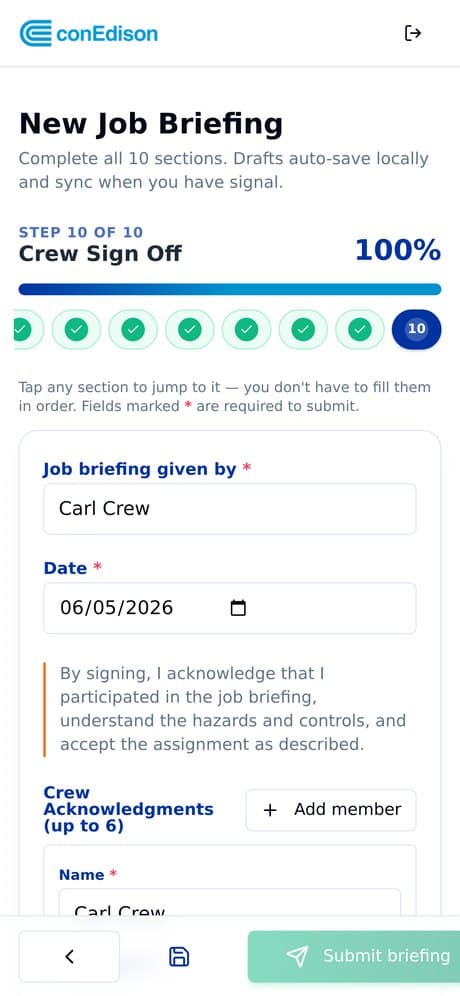
Built for crew sign-off — not just single-person submission. A foreman or lead may start the form, but the whole crew needs to acknowledge the briefing before work begins. Here's exactly how it works on a phone.
The full crew flow
A guided Job Safety Assessment your crews can finish in minutes — large tap targets, required fields, and a progress bar from start to sign-off.
1. Start the briefing
A supervisor, foreman, or crew lead starts the JSA for a job, crew, location, or workday. Drafts auto-save locally and sync when there's signal — so a weak connection never blocks the crew.
2. Work through the guided sections
The crew completes job details, operating conditions, official checklist items, and procedure references. Required fields (marked *) must be completed before moving on — no more incomplete paperwork buried in a truck.
Benefits for workers
MyJSA isn't more paperwork — it's less. Here's what your crew gets in the field.
Faster than paper
Works offline
The form you already know
Sign from your own phone
Reminders & notifications
Jump to any section
No paper to carry or lose
Built for gloves & sunlight
Proof you participated

One shared record. Every signature tracked.
Many JSAs aren't completed by one person alone. MyJSA supports a shared JSA record where multiple assigned workers sign the same document from their own phones.
- The crew lead completes the required sections
- Each assigned worker reviews and adds their own digital signature
- The system tracks who has signed — and who hasn't
- When all required signatures are collected, the JSA is ready for review
- If the job start time arrives with signatures missing, management is notified immediately
Submit → route → approve
Crew submits the completed JSA
Once required sections and signatures are complete, the briefing is submitted from the field.
It routes to the supervisor automatically
No chasing paper. The submitted JSA is sent to the assigned supervisor or safety manager for review.
The record is locked and archived
After approval, the final JSA is locked, searchable, and exportable as a PDF for records, clients, or audits.
Turn your crew's paper JSA into a phone workflow
See a live demo and we'll show you exactly how your crew flow would look in MyJSA.
See a live demo